

Step 2: Creating a lab account
If you wish to create a new lab after creating a personal account, fill in your lab details and click “Next”
If your lab already exists, ask your colleagues to invite you to your lab
Optional: Add one or more shipping addresses and/or billing addresses, and click “Next”
To fill in your lab address, click “Fill with lab details”
Optional: Invite colleagues to your lab; enter their email addresses separated by a comma, space, or return/enter; then click “Invite”; after you are done adding your colleagues, click “Next”
Invited colleagues will receive an email with a link to create a personal account (if they do not have one already) and to join your lab
You can now browse all available EQA schemes (“All Schemes”)
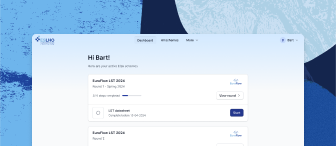
Your Dashboard shows all your active EQA schemes and open tasks/to do’s
You can register for EQA schemes in the “Register” tab
For labs that are formal participants of the EuroClonality, EuroFlow, and EuroMRD consortia: an admin needs to update your lab settings accordingly before you can access all schemes/receive the appropriate discount
Related articles
Need further assistance?
We’re here to help. If you have any questions or need more information, please don’t hesitate to reach out.
Contact us