
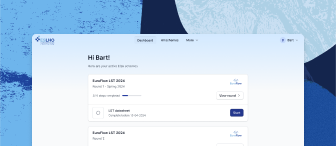

Account and lab settings, Archived rounds
To open the menu to access Account settings, Archived rounds, Lab settings, and Lab members, click on your name in the top right corner of the screen
Under Account settings, you can view and edit your personal data (profile), set/change your password, change your areas of interest, and delete your account
Under Archived rounds, you can view completed rounds that were archived (i.e., are not listed anymore on your personal dashboard)
Under Lab settings, you can view/edit your lab details, including your shipping and billing addresses, and you can view your networks
If your lab is an active participant of the ESLHO consortia EuroClonality, EuroFlow, and EuroMRD, this is indicated under Networks
Under Lab members, you can manage your colleagues that have access to your lab account (i.e., invite new colleagues and remove existing colleagues)
Lab members marked with “Pending” did not yet accept the invitation to join your lab
Related articles
Need further assistance?
We’re here to help. If you have any questions or need more information, please don’t hesitate to reach out.
Contact us